ネオンの街並み
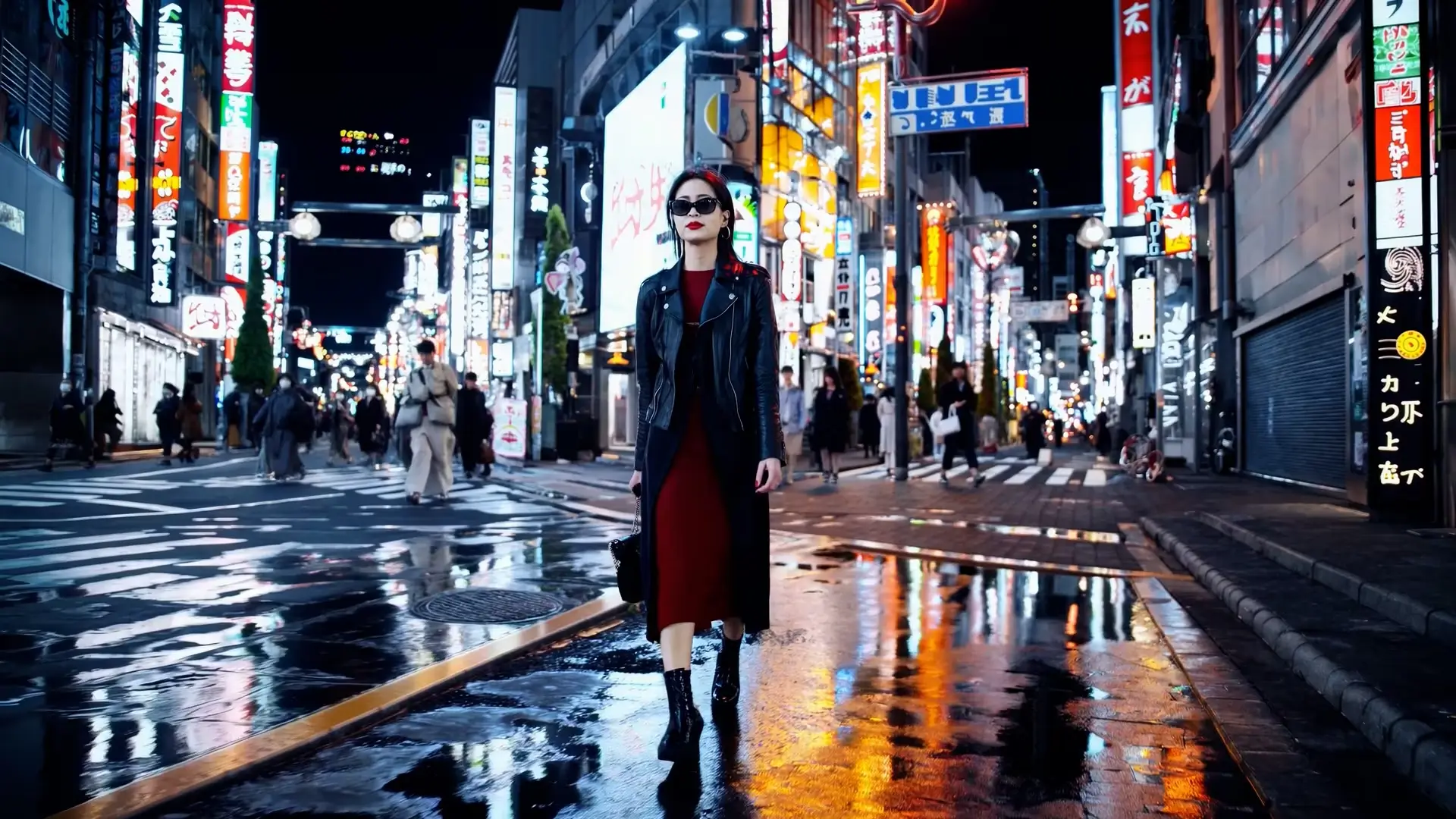
プロンプト例(英語)
Slowly push the camera toward the person in the neon-lit street. Add gentle movement to the scene while keeping the person, buildings, and signs consistent with the reference image. Avoid abrupt camera changes or new objects.
画像と動画は既存の作例ライブラリのものです。以下のプロンプトは参考例であり、元の生成時のプロンプトではありません。結果はモデルと設定によって異なります。
プロンプト例(英語)
Slowly push the camera toward the person in the neon-lit street. Add gentle movement to the scene while keeping the person, buildings, and signs consistent with the reference image. Avoid abrupt camera changes or new objects.
Photo to video AI turns a static photo into a short moving video by adding realistic motion, camera movement, and scene animation from a prompt.
Yes. Portraits and selfies can be animated with subtle motion such as blinking, smiling, head movement, hair movement, or a gentle camera push.
Yes. Old family photos and historical images can be used. Clear faces and good contrast help the AI preserve the original subject while adding motion.
Yes. The workflow is useful for TikTok, Instagram, YouTube Shorts, ads, profile content, and visual storytelling.
Start with a simple prompt such as slow cinematic zoom, person smiles naturally, product rotates on a clean background, or old photo comes alive.
Photo to video is a focused use case of image to video. It works best when your source image is a real photo or portrait.