이미지를 업로드하려면 클릭하세요

형식: .png, .jpg, .jpeg, .webp

최대 크기: 20MB

크레딧 : 1

Image to Video AI Generator

Animate photos, product shots, portraits, old pictures, and artwork into AI videos. Upload an image, describe the motion, and create social-ready video clips online with prompt control.

AI Video Generator Interface

How to Turn an Image into a Video

Use the free online image to video AI workflow to animate a static image with a prompt.

  1. Upload a clear JPG or PNG photo, product image, portrait, old picture, artwork, or illustration.
  2. Describe the motion you want, such as slow zoom, camera pan, product rotation, blinking, smiling, or wind movement.
  3. Generate the AI video, review the motion, and download or refine the prompt for a cleaner result.

다른 이미지 동영상 제작 방식 살펴보기

원본 이미지에서 동영상으로

이미지와 동영상은 기존 예시 라이브러리에서 가져왔습니다. 아래 프롬프트는 참고용이며 원래 생성에 사용된 프롬프트가 아닙니다. 결과는 모델과 설정에 따라 달라집니다.

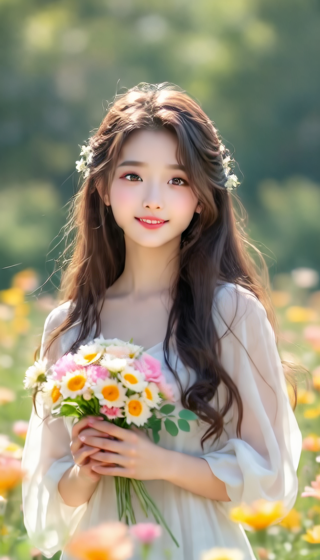
꽃밭 속 인물 사진

원본 이미지: 꽃밭 속 인물 사진
원본 이미지
동영상 예시

프롬프트 아이디어 (영어)

A gentle breeze moves the woman's hair and the flowers around her. She blinks naturally. Keep the camera still, her facial features consistent, and the background stable. Use subtle motion rather than a large head turn.

이 방식으로 시작하기 : 꽃밭 속 인물 사진
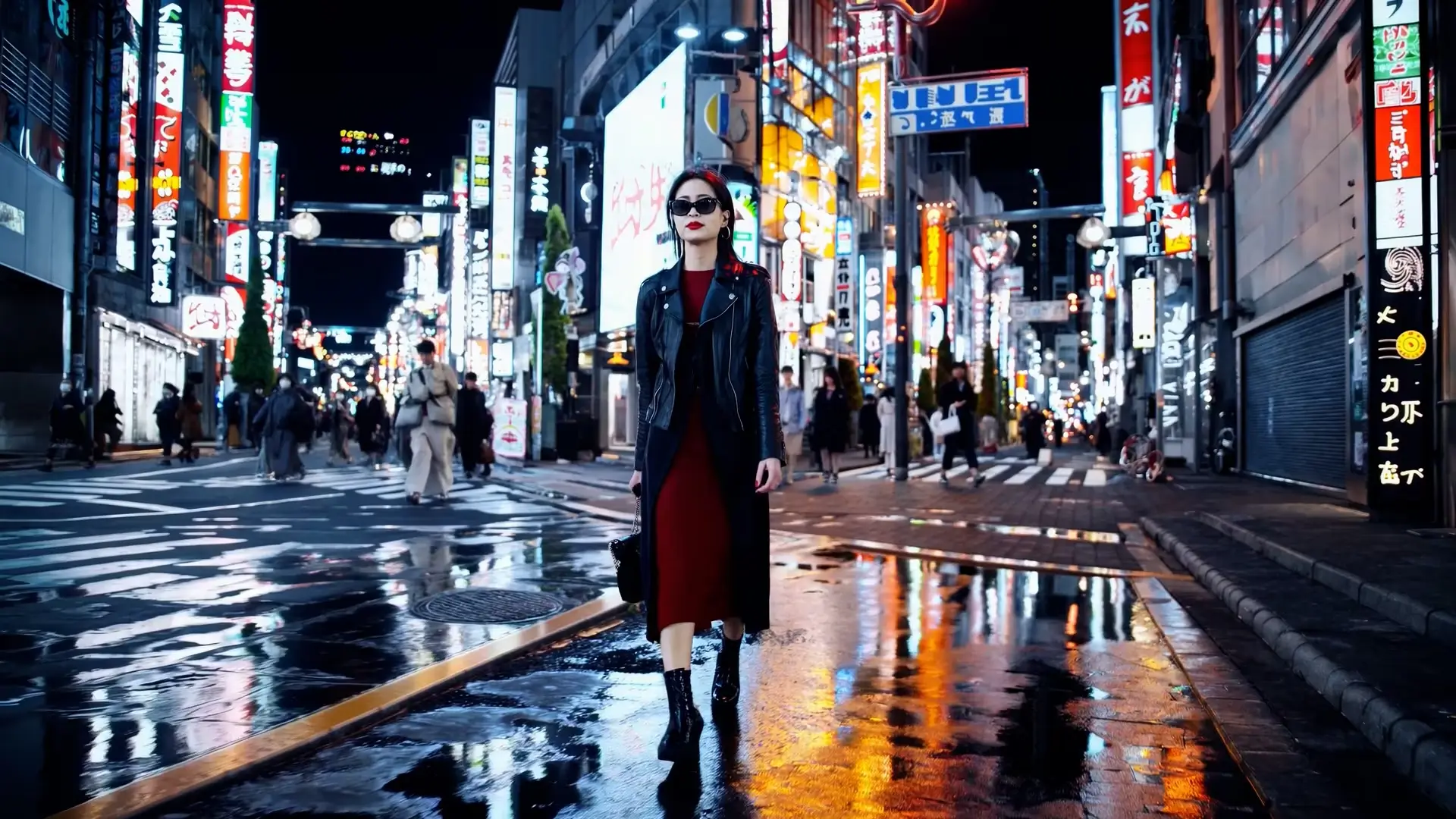
네온 도시 풍경

원본 이미지: 네온 도시 풍경
원본 이미지
동영상 예시

프롬프트 아이디어 (영어)

Slowly push the camera toward the person in the neon-lit street. Add gentle movement to the scene while keeping the person, buildings, and signs consistent with the reference image. Avoid abrupt camera changes or new objects.

이 방식으로 시작하기 : 네온 도시 풍경

Image to Video AI Generator FAQs

What is an image to video AI generator?

An image to video AI generator turns a still image into a moving video clip. It uses your uploaded image as the visual reference and creates motion, camera movement, and scene changes from your prompt.

Can I animate a photo online for free?

Yes. Animate Image AI lets you start animating photos online for free. Upload a picture, enter a prompt, and test photo-to-video generation before choosing a paid plan for higher usage.

Do I need to sign up to start image to video generation?

You can start the image to video workflow online without complex setup. Sign in may be required for saving history, higher limits, private generations, or premium model access.

How should I write an image to video prompt?

Describe the main movement, camera direction, mood, lighting, and style. Useful prompt ideas include slow zoom in, cinematic pan, product rotates, person smiles, hair moves in the wind, or background comes alive.

Can I use it as a photo to video AI tool?

Yes. The image to video tool also works as a photo to video AI generator for portraits, product shots, old family photos, event pictures, artwork, and social media visuals.

Can I create watermark-free image to video results?

Watermark-free exports depend on the current model, account status, and plan. Use the free flow to test motion quality, then choose the appropriate plan when you need production-ready exports.

What images work best for image to video AI?

Clear images with a visible subject, good lighting, and simple composition usually produce cleaner motion. Product photos, portraits, illustrations, and old photos can all work well.

Can I make a product image into a video ad?

Yes. Upload a product image and describe motion such as rotating product, cinematic lighting, floating camera, lifestyle background, or social media ad style.